How to Turn Property Photos into a Video with AI
Start from the photos of a property and create a video presentation. See the input material, the process and the result to prepare your first project.
From Photos to Video
No technical skills required. Just upload, customize, and share.
Prepare the Photos and Property Data
Choose the property photos and the vertical (9:16) or horizontal (16:9) format. Gather the data you want to mention, such as size, rooms and location.
Set Up the Content
Choose a style or transformation (restyle, furnish, add people), write or generate the script, pick a voice and background music, and add the logo and text overlays available in your account.
Choose a style or transformation (restyle, furnish, add people), write or generate the script, pick a voice and background music, and add the logo and text overlays available in your account.
Review the Result
Check the texts, the voice-over and how each room is shown. Label virtual transformations (renovation, staging, added people) so they are not mistaken for the property's current state.
Check the texts, the voice-over and how each room is shown. Label virtual transformations (renovation, staging, added people) so they are not mistaken for the property's current state.
Prepare the Publication
Download the video in the format you chose and check the requirements of the destination channel, portal or social network, before uploading it.
Download the video in the format you chose and check the requirements of the destination channel, portal or social network, before uploading it.
Photo → Video Magic
Tap each card to see the transformation
Virtual transformation: does not reflect the property's current state
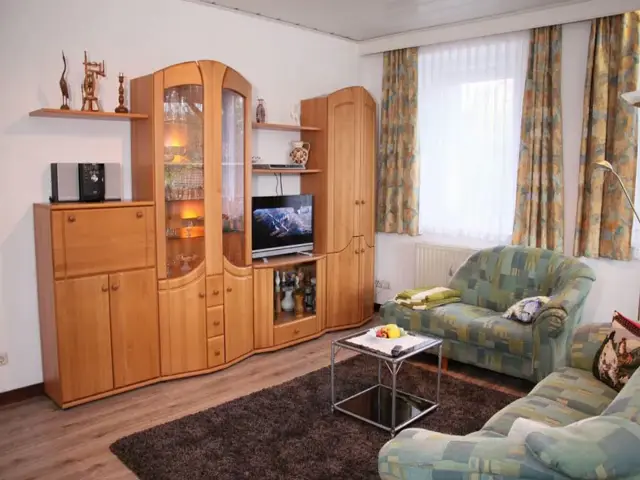
Virtual Renovation
Transform outdated spaces into modern rooms
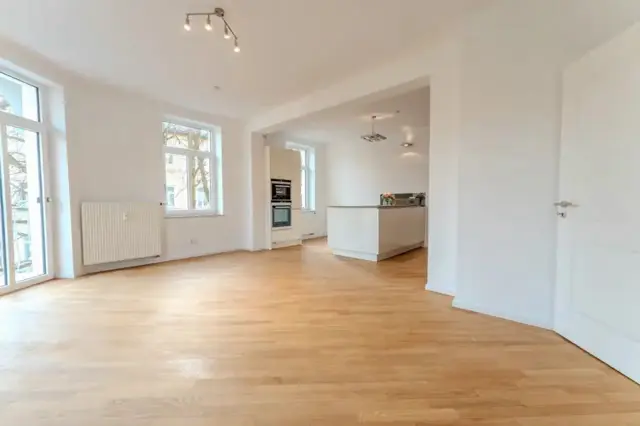
Virtual Staging
Furnish empty spaces with beautiful virtual furniture
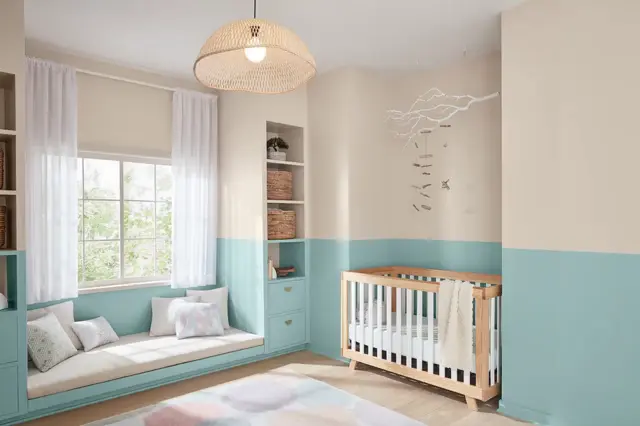
Lifestyle Enhancement
Add people and life to create emotional connection
Tap cards to see transformation • Swipe to explore
What You Can Do with VibePeak
The options you have when turning your photos into a video.
Photos Only
No expensive camera equipment or filming. Just upload the property photos you already have.
Your Choices Along the Way
You choose the style for each image and write or generate the script.
AI Voice Narration
Write the script or generate it with AI, then choose a voice and background music.
Review Against the Real Property
Photos can be transformed or restyled. Review the result against the real property before you share it.
Narration, Music and Brand
Combine AI voice narration, background music, and your logo and text overlays in one video.
Flexible Formats
Export in vertical (9:16) for social media or horizontal (16:9) for portals and websites.
Video Examples
Property videos created with VibePeak
Built for Real Estate Professionals
Whether you're an agent, agency, or developer
Real Estate Agents
Create professional listing videos for every property from the photos you already have.
Property Agencies
Create property videos for your agency's listings with your logo and text overlays.
Real Estate Portals
Enhance your listings with video content made from your property photos.
Property Developers
Present new developments from your images and renders.
Landlords
Present your rental with a video made from your photos, with a script and background music.
Airbnb Hosts
Present your property's features in a video made from your photos.
Industry Data
Sourced figures on video in real estate
In the US, 58% of buyers who used online video sites found them “very useful” when house-hunting
In the US, 70% of buyers searched for a home on a mobile device
Real agents, real results
Hear it from the agencies already publishing with VibePeak.
Jenya HarbunovaQuintessentially Estates
Questions? We've Got Answers
What is an AI photo to video generator for real estate?
An AI photo to video generator automatically creates professional property videos from your listing photos using artificial intelligence. VibePeak analyzes your photos, generates narration, adds music and transitions, and produces a complete video—no filming or editing skills required.
What does the process involve?
Upload your photos, choose a style, add the narration and music, review the preview, then download the video. No filming or editing software is needed.
Do I need video editing skills?
No video editing experience required. VibePeak is designed for busy agents with zero technical skills. Simply upload photos, choose your style, and our AI handles everything—scripting, narration, transitions, music, and branding.
How much does it cost compared to hiring a videographer?
A videographer is usually quoted per property, and every new listing means another shoot. In the US, professional listing video typically costs $150–$900 per listing (Fash, 2023). VibePeak is a subscription: you create the videos yourself from the photos you already have, with no filming. VibePeak plans are shown in the app after you sign up.
SourceFash, 2023 — Fash, Real Estate Videography Pricing (2023)
Can I add my branding and contact info?
Yes. You can add your logo and text overlays to the video.
What video formats are supported?
VibePeak exports in two formats: 16:9 horizontal for YouTube, property portals, and websites, and 9:16 vertical for Instagram Stories, TikTok, and Facebook Stories.
Start Creating Property Videos Today
Turn your listing photos into property videos with AI. Payments are refunded on request within the first 3 days. Cancel anytime.